
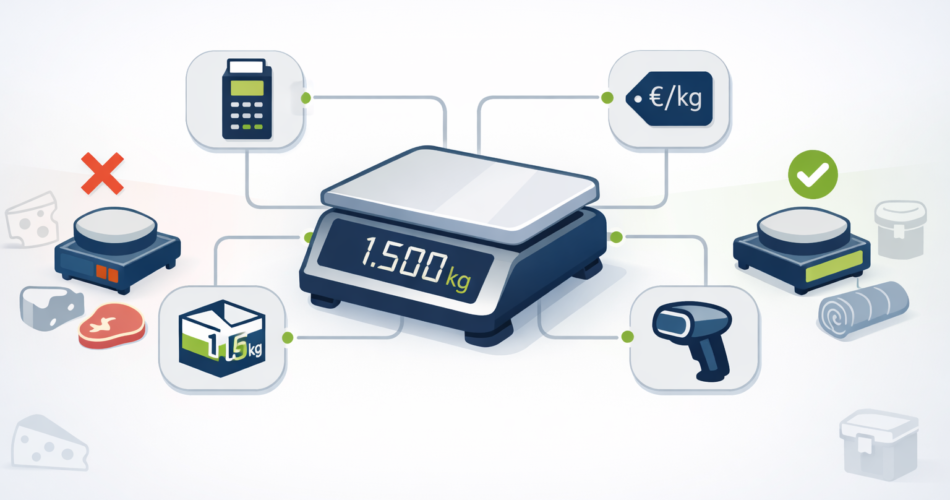
If you run a butcher shop, deli, zero waste refill store, cheese shop, or any business that sells products by weight, you have probably already discovered an uncomfortable truth: Shopify POS does not natively support weight-based selling.
This is not a minor oversight. It is a fundamental architectural limitation that affects thousands of merchants worldwide. Shopify inventory quantities must be whole numbers. No decimals allowed. And prices cannot extend beyond two decimal places, which creates significant rounding errors when you try to price items per gram.
I have spent years working with Shopify POS implementations for grocery and retail operations, building apps like VahaPOS specifically to solve these problems. In this guide, I will walk you through every method available for selling by weight on Shopify POS, explain exactly where each approach succeeds or fails, and help you choose the right solution for your business.
Why Shopify POS Struggles with Weight-Based Selling
Before diving into solutions, it helps to understand why this problem exists in the first place.
Shopify was built as an e-commerce platform where products come in discrete units. One shirt. Two books. Three candles. The entire system architecture assumes you are selling countable items, not continuous quantities measured on a scale.
When you try to sell 1.347 kg of aged cheddar, you immediately run into two problems. First, Shopify cannot store 1.347 as an inventory quantity. It rounds to 1. Second, if your cheese costs €0.046 per gram, Shopify rounds that to €0.05, which means you either overcharge customers or lose money on every transaction.
Some merchants have estimated tens of thousands of dollars in annual revenue loss from being forced to round down customer weights. Others have switched POS systems multiple times searching for a solution, with some abandoning Shopify entirely for Square or Clover, which handle decimal quantities natively.
But if you are committed to Shopify for its e-commerce capabilities, unified inventory, or existing integrations, you need a workaround. Here are your seven options, ranked from simplest to most sophisticated.
Method 1: Custom Product (Quick Sale)
The simplest approach uses Shopify’s built-in Custom Sale feature. You weigh the product on an external scale, calculate the price manually (or on the scale), and enter that price as a one-time custom line item.
How It Works
- Weigh the product on your scale
- Calculate the total price (weight × price per unit)
- Tap “Custom Sale” or “Quick Sale” in Shopify POS
- Enter the calculated price
- Complete the checkout
Advantages
This method requires no apps, no configuration, and no monthly fees. You can start using it immediately with any Shopify POS setup. It works for any weight and any price point.
Critical Limitations
Inventory is not tracked at all. Shopify explicitly states that custom sales bypass inventory management. If you sell 2 kg of organic flour using Custom Sale, your inventory count stays exactly where it was. For businesses that need accurate stock levels, this is a dealbreaker.
Tax overrides do not work. This is a major problem for food retailers. When you create a custom sale, only your store’s base tax rate applies. Product-level tax overrides (such as food exemptions or reduced VAT rates) are completely ignored. In the EU, where fiscalization requirements often prevent manually toggling tax on and off, this creates compliance headaches.
If you use Shopify Managed Tax, the situation gets even more complicated. You cannot easily apply tax exemptions or override tax rates for custom sales, which means you might be charging customers incorrectly.
No product attribution in reports. Your sales data shows generic “Custom Sale” entries rather than actual product names. You cannot analyze which products sell best by weight, track margins on specific items, or generate meaningful category reports.
Staff must perform calculations. Every transaction requires your employees to multiply weight by price, which slows checkout and introduces human error.
Verdict
Custom Sale works as an emergency fallback but fails for any serious weight-based retail operation. The inventory and tax problems alone make it unsuitable for most businesses.
Method 2: Granular Regular Product (Price per Gram)
This clever workaround prices products at the smallest practical unit. Instead of selling cheese at €15 per kilogram, you create a product priced at €0.015 per gram. When a customer buys 250 grams, you enter quantity 250.
How It Works
- Create a regular Shopify product priced at the smallest unit (e.g., €0.05 per gram)
- Set inventory to the total weight in that unit (10 kg = 10,000 grams)
- At checkout, enter the quantity matching the weight (345 grams = quantity 345)
- Shopify calculates the correct total
Advantages
Accurate inventory tracking. Shopify’s native inventory system works perfectly. If you start with 10,000 gram units and sell 345, you have 9,655 remaining. This is the only workaround method that gives you real inventory management without third-party apps.
Works with all reporting and analytics. Products appear correctly in sales reports, and you can track performance over time.
No monthly app costs. This is a pure configuration solution within standard Shopify.
Critical Limitations
EUR and sub-cent pricing is impossible. Shopify limits prices to two decimal places. If your cheese actually costs €0.015 per gram, you must round to €0.01 or €0.02. At €0.01, you lose €0.005 per gram (33% margin erosion). At €0.02, you overcharge by €0.005 per gram. Neither option is acceptable for thin-margin food retail.
Forced rounding creates cumulative losses. One merchant noted: “We lose a little bit of money on each transaction. You cannot round up without angering customers.” Over thousands of transactions, these small losses add up significantly.
Confusing receipts. Customers see “345 units of Aged Cheddar” rather than “345g Aged Cheddar at €15/kg.” This looks unprofessional and creates confusion, especially for returns.
Unit conversion burden. Staff must mentally convert between weights and arbitrary unit counts. “How many units is 1.2 kg?” becomes a constant question.
Verdict
This method works reasonably well for products with per-unit prices above €0.01 where rounding errors remain acceptable. It is the best option for businesses that prioritize inventory tracking above all else and can tolerate some margin leakage.
Method 3: Regular Product with Adjustment Discount
This approach uses standard products priced at round weights, then applies a manual discount to match the actual weight price.
How It Works
- Create a product priced at a standard weight (e.g., 1 kg = €20)
- Customer purchases 1.2 kg of product
- Add 2 units to cart (€40, covering the 1.2 kg plus buffer)
- Calculate the correct price (1.2 kg × €20/kg = €24)
- Apply a discount of €16 to match the correct price
Advantages
Uses your existing product catalog. No need to create special per-gram variants or configure complex pricing.
Maintains some inventory visibility. Shopify tracks the unit sales, giving you rough inventory data.
Critical Limitations
Cannot stack additional discounts. This is a critical problem for many retailers. The adjustment discount consumes Shopify’s discount slot. If your customer has a loyalty discount, coupon code, or you are running a promotion, you cannot apply it on top of the weight adjustment. You must choose one or the other.
Inventory tracking is inaccurate. If you sell 1.2 kg but add 2 units to cover it, your inventory shows 2 units sold when you only moved 1.2 kg of product. Over time, your inventory counts become meaningless.
Complex calculations at checkout. Staff must determine how many units to add, calculate the target price, then compute the discount amount or percentage. This is slow and error-prone.
Confusing audit trail. Your reports show discounts that were not promotional, making it hard to analyze actual discount program performance.
Verdict
This method might work for occasional weight-based sales, but the inability to apply additional discounts makes it unsuitable for stores running loyalty programs, promotions, or any kind of regular discounting. The inventory tracking problems compound over time.
Method 4: Temporary Product Creation
Apps like Filljoy use this approach. When you weigh a product, the app dynamically creates a temporary Shopify product with the exact weight and price. This temporary product is invisible to your online store and automatically deleted after checkout (or within 12 hours if unused).
How It Works
- Select a product in the weight-selling app
- Enter or read the weight from a connected scale
- App creates a temporary Shopify product with precise pricing
- Product appears in POS cart
- Complete checkout normally
- App deletes the temporary product
Advantages
Proper tax handling. Because you are selling a real Shopify product (even if temporary), it inherits correct tax categories and overrides. Food exemptions work. Reduced VAT rates apply correctly.
Full sales reporting. The temporary product carries SKU, vendor, product type, and COGS data into your Shopify reports. You get meaningful analytics, not generic line items.
Clean catalog management. Automatic deletion prevents database bloat from accumulating thousands of one-time products.
Accurate weight display. Receipts show actual weight (e.g., “2.3 kg Smoked Salmon @ €18/kg”), which looks professional and reduces customer confusion.
Critical Limitations
Cart addition latency. Creating a Shopify product takes time. Some merchants report loading delays of several seconds, and on bad days with Shopify platform issues, waits can stretch longer. For high-volume checkout environments, this slowdown frustrates both staff and customers.
Platform dependency. Performance degrades during Shopify outages or API slowdowns, which are outside anyone’s control.
Hardware requirements. Scale integration typically requires specific compatible hardware. The popular DYMO postal scales, for example, are not compatible with Filljoy.
Ongoing costs. Filljoy charges $25 per month base plus $10 for each additional POS location.
Apps Using This Method
Filljoy Sell by Weight for POS is the most established app using temporary product creation. With a 4.6 star rating from 37 reviews (95% five-star), it has earned a strong reputation particularly among zero waste refill stores. One merchant wrote: “Our business would not exist without this app. Essential for 3+ years.” The support team, particularly “Derrick,” receives consistent praise for responsiveness.
Filljoy has rebuilt their app using newer Shopify POS UI Extensions to improve speed, addressing earlier complaints about loading times.
Verdict
Temporary product creation is currently the most complete solution for weight-based POS selling. It handles taxes correctly, provides proper reporting, and integrates with Shopify’s native checkout flow. The speed issue is real but has improved significantly. For most weight-based retail operations, this is the recommended approach.
Method 5: 99.9% Discount Method
This theoretical approach prices products at the full kilogram rate (e.g., €1000/kg), enters gram quantities (250g = 250 units), then applies a massive discount to achieve the correct price.
How It Works
- Create product priced at €1000 per kilogram
- For 250g purchase, add 250 units (cart shows €250,000)
- Apply 99.9% discount to reach correct €2.50 price
Advantages
No third-party app required. This is pure Shopify configuration (in theory).
Could preserve inventory tracking if the math worked out.
Critical Limitations
Shopify rounding destroys accuracy. When multiplying large quantities by tiny post-discount prices, Shopify’s two-decimal limit creates cumulative errors that make the final price wrong.
Discount precision is insufficient. Achieving €2.50 from €250,000 requires exactly 99.999% discount. Shopify does not support that precision. You cannot hit the correct price.
Completely misleading reports. Analytics show enormous discounts that make all reporting meaningless.
Customer confusion. Imagine a customer seeing €250,000 in their cart before the discount applies. The experience is terrible.
Verdict
This method is theoretically interesting but practically unworkable. The rounding and discount precision limitations make it impossible to implement correctly. Do not use this approach.
Method 6: Price Override via Cart Transform Function
For Shopify Plus merchants, Cart Transform functions offer a proper technical solution. This server-side function intercepts the cart before checkout and can modify prices based on custom logic, including weight calculations.
How It Works
- Product is added to cart with weight stored in line item properties
- Cart Transform function reads the weight property
- Function calculates correct price based on weight × unit price
- Function returns price override to Shopify checkout
- Customer sees and pays the correct weight-based price
Advantages
True price override capability. This is the only method that actually modifies prices at checkout rather than using workarounds.
Secure server-side execution. Cart Transform functions run on Shopify’s infrastructure, not in the browser, making them tamper-proof.
Works with Shop Pay and accelerated checkout. Price overrides integrate seamlessly with all Shopify checkout features.
Professional cart display. You can format titles to show weight clearly (e.g., “Salmon (2.5 kg @ €18/kg)”).
Critical Limitations
Shopify Plus only. Cart Transform requires Shopify Plus, which starts at $2,300 per month on a one-year term or $2,500 per month on a three-year term. For most small and medium retailers, this cost is prohibitive.
One function per store. Only ONE Cart Transform can be installed on a store. If you already use a bundling app or other checkout customization that uses Cart Transform, you cannot add weight-based pricing without conflict.
Execution time constraints. Functions must complete in under 5 milliseconds. Complex calculations may timeout.
POS support is partial. While Cart Transform works online, POS integration requires specific configuration and may not support all features.
Development complexity. Building Cart Transform functions requires Rust or JavaScript compiled to WebAssembly, plus deep understanding of Shopify’s function APIs.
Verdict
Cart Transform is the technically correct solution, but the Shopify Plus requirement puts it out of reach for most weight-based retailers. If you are already on Plus or your business revenue justifies the upgrade (typically $1M+ annually), this approach eliminates all the workaround headaches.
Method 7: Draft Order
Draft orders allow complete price control without restrictions, making them theoretically usable for weight-based selling.
How It Works
- Staff creates a draft order in Shopify admin
- Adds products with custom line item prices
- Converts draft to order
- Processes payment
Advantages
Available on all Shopify plans. No Plus requirement, no app fees.
Full pricing flexibility. You can set any price for any line item.
Works for B2B and wholesale. Draft orders have a legitimate role in business-to-business transactions where pricing is negotiated.
Price lock feature. Once set, prices remain stable even if product prices change later.
Critical Limitations
Extremely slow workflow. Creating a draft order takes multiple steps through the admin interface. This is not viable for front-counter retail where customers expect checkout in seconds.
Not suitable for high-volume retail. If you process more than a handful of weight-based sales per day, draft orders will create an operational bottleneck.
No POS integration. Draft orders live in the admin interface, not in POS. There is no way to seamlessly connect the scale, the draft order, and the payment terminal.
Customer experience suffers. Buyers cannot complete purchases independently while staff navigates admin screens.
Verdict
Draft orders work for B2B scenarios, phone orders, special requests, or very low-volume weight-based sales. They are completely impractical for busy retail checkout operations.
Comparing All Seven Methods
| Method | Inventory Tracking | Tax Handling | Speed | Discounts Stack | Cost | Best For |
|---|---|---|---|---|---|---|
| Custom Sale | None | Base rate only | Fast | N/A | Free | Emergency fallback |
| Granular Product | Excellent | Normal | Fast | Yes | Free | High-unit-price items |
| Adjustment Discount | Inaccurate | Normal | Slow | No | Free | Occasional weight sales |
| Temporary Product | Via app | Correct | Moderate | Yes | $25+/mo | Most weight-based retail |
| 99.9% Discount | Theoretical | Normal | Slow | No | Free | Do not use |
| Cart Transform | Via Shopify | Correct | Fast | Yes | Plus ($2,300+/mo) | Enterprise/Plus stores |
| Draft Order | Normal | Correct | Very slow | Yes | Free | B2B only |
VahaPOS: Supporting All Methods
If you are evaluating solutions for weight-based selling, VahaPOS is worth examining. Unlike apps that commit to a single approach, VahaPOS supports multiple weight-selling methods, allowing you to choose the one that fits your specific situation.
Whether you prefer the temporary product approach for proper tax handling, granular products for inventory tracking, or adjustment discounts for simplicity, VahaPOS provides the flexibility to implement your preferred workflow. The app continues to add features based on merchant feedback from real grocery and retail operations.
This flexibility matters because different products in your store may need different approaches. High-value items like premium cheese might justify the temporary product method’s full reporting, while bulk commodities might work fine with granular pricing.
Choosing the Right Method for Your Business
Your best option depends on your specific circumstances.
If inventory tracking is your top priority and you can tolerate some rounding losses, use the granular product method. Configure products priced at the smallest unit where rounding to two decimal places remains acceptable.
If tax handling matters (food exemptions, reduced VAT rates, fiscalization compliance), use temporary product creation through an app like Filljoy or VahaPOS. The slight checkout delay is worth correct tax treatment.
If you are on Shopify Plus, implement Cart Transform functions. This is the only true solution rather than workaround, and eliminates all the compromises other methods require.
If you only occasionally sell by weight, the adjustment discount method works adequately for low volumes where the discount stacking limitation rarely matters.
If you do B2B or wholesale, draft orders make sense where the slower workflow fits the sales context.
If nothing works within Shopify’s constraints, consider whether Shopify POS is right for your business. Square POS handles decimal quantities natively. Lightspeed supports weight-based selling. Sometimes the best solution is recognizing a platform mismatch.
What About Scale Integration?
Most methods above describe manual weight entry, but connecting a scale directly to your POS dramatically improves efficiency and accuracy.
Filljoy offers scale integration through special hardware (note that DYMO postal scales are not compatible). VahaPOS supports various scale communication methods. For embedded barcode workflows where scales print price-embedded labels, Filljoy’s Price Embedded Barcode Scanner app reads the weight and price directly from the barcode.
If you are serious about weight-based retail, budget for compatible scale hardware. The time savings and error reduction justify the investment.
The Future of Weight-Based Selling on Shopify
Shopify has not indicated weight-based selling improvements are on the roadmap. Recent Shopify Editions updates focused on POS 10.0 redesign, HID barcode scanner support, bundles in POS, offline payments, and Tap to Pay expansion. No mention of decimal quantities or weight integration.
A Shopify community expert noted: “Shopify is basically cent-based for money. It is not clear if they would ever bite the bullet and go to more decimal places.”
For the foreseeable future, weight-based selling on Shopify will require third-party apps or creative workarounds. Choose the approach that minimizes friction for your specific operation, and evaluate new solutions as the app ecosystem evolves.
Frequently Asked Questions
Can Shopify POS connect directly to a scale?
Not natively. Shopify POS has no built-in scale integration. Third-party apps like Filljoy and VahaPOS can connect to compatible scales, but this requires specific hardware and app installation.
Why does Shopify not support decimal quantities?
Shopify’s database architecture uses integer values for inventory counts. Adding decimal support would require fundamental changes to how Shopify stores and calculates inventory across all features. This is not a simple update.
Is there a free way to sell by weight on Shopify POS?
The granular product method (pricing at the smallest unit) costs nothing but has limitations around sub-cent pricing and receipt clarity. Custom Sale is free but provides no inventory tracking or proper tax handling. For full functionality, expect to pay for an app.
Which app is best for selling by weight?
Filljoy has the longest track record and best reviews for POS-focused weight selling. VahaPOS offers flexibility across multiple methods. Measura works for both online and POS. Your best choice depends on your specific needs, existing workflows, and integration requirements.
Can I use Shopify for a butcher shop?
Yes, but you need a weight-selling solution. The temporary product approach through apps like Filljoy handles butcher shop requirements including proper tax handling and detailed receipts. Plan for compatible scale hardware and staff training.
Does Shopify Plus solve weight-based selling problems?
Shopify Plus enables Cart Transform functions, which provide true price override capability. This is the technically correct solution but costs $2,300+ per month. For most small retailers, third-party apps remain more practical.
Conclusion
Selling by weight on Shopify POS requires working around fundamental platform limitations. None of the seven methods is perfect. Each involves tradeoffs between inventory accuracy, tax handling, checkout speed, and cost.
For most weight-based retail operations, the temporary product approach through established apps like Filljoy provides the best balance of functionality and practicality. If inventory tracking is paramount, granular products work with acceptable compromises. If you are on Shopify Plus, Cart Transform functions eliminate the workarounds entirely.
Whatever method you choose, test thoroughly before going live. Train your staff on the workflow. Monitor for edge cases and rounding issues. And keep evaluating new solutions as the Shopify app ecosystem continues developing answers to this common problem.
Weight-based selling may not be what Shopify was designed for, but thousands of butchers, delis, cheese shops, and refill stores make it work every day. With the right approach for your business, you can too.
